The full tour
Everything ScribeLM™ does.
A full tour of ScribeLM, in real screenshots. Everything here ships today, runs on your computer, and is free.
01 · Home
Begin where you left off.
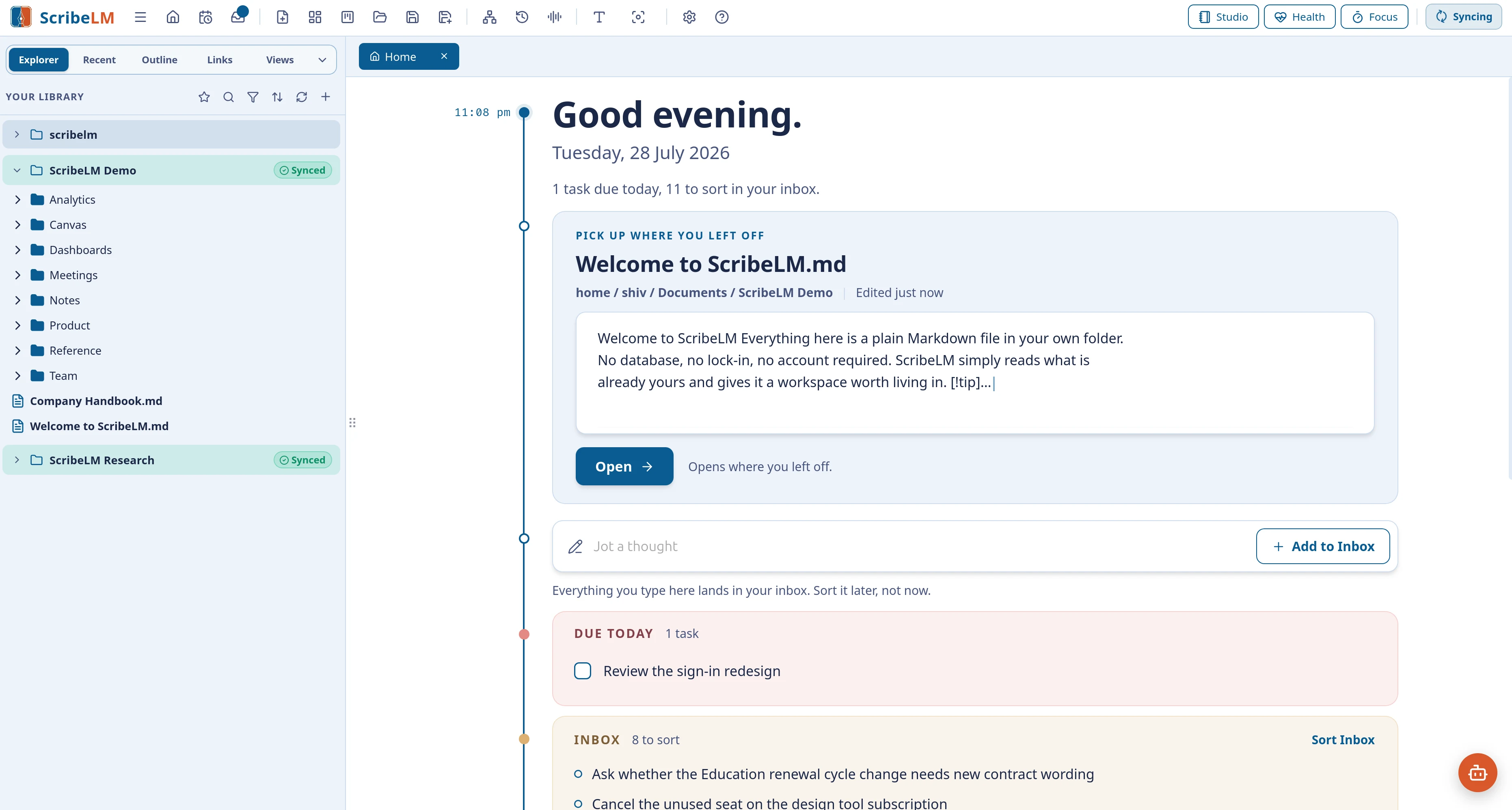
Home greets you with the day: your last document restored to the exact spot, a box that catches stray thoughts, and what is due today.
02 · Write and ask
A real editor with a mind beside it.
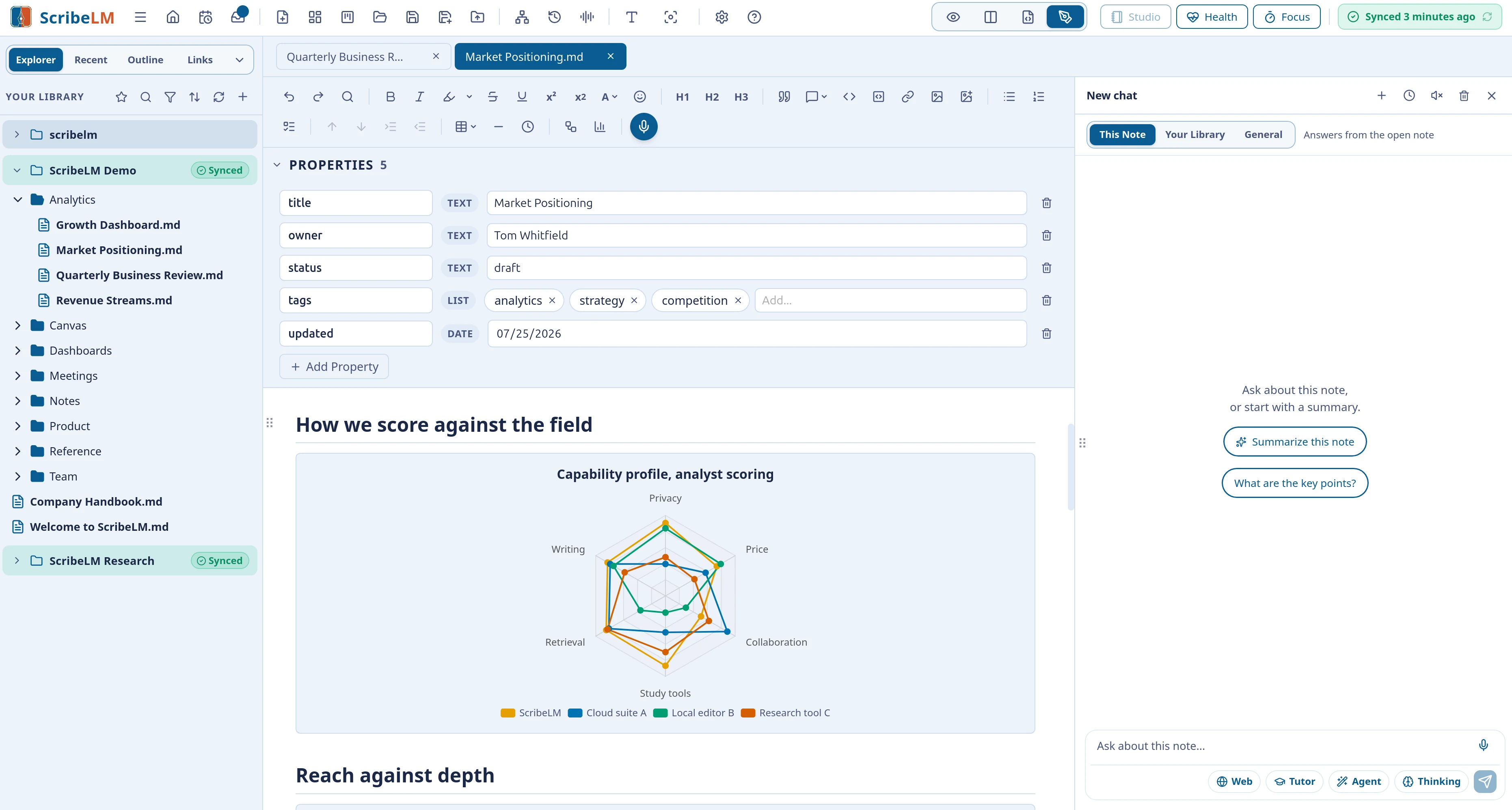
Write in a familiar editor, fix or translate any selection with changes shown side by side, and ask questions that are answered from your own notes, with citations.
03 · Studio
Anything you need, from any note.
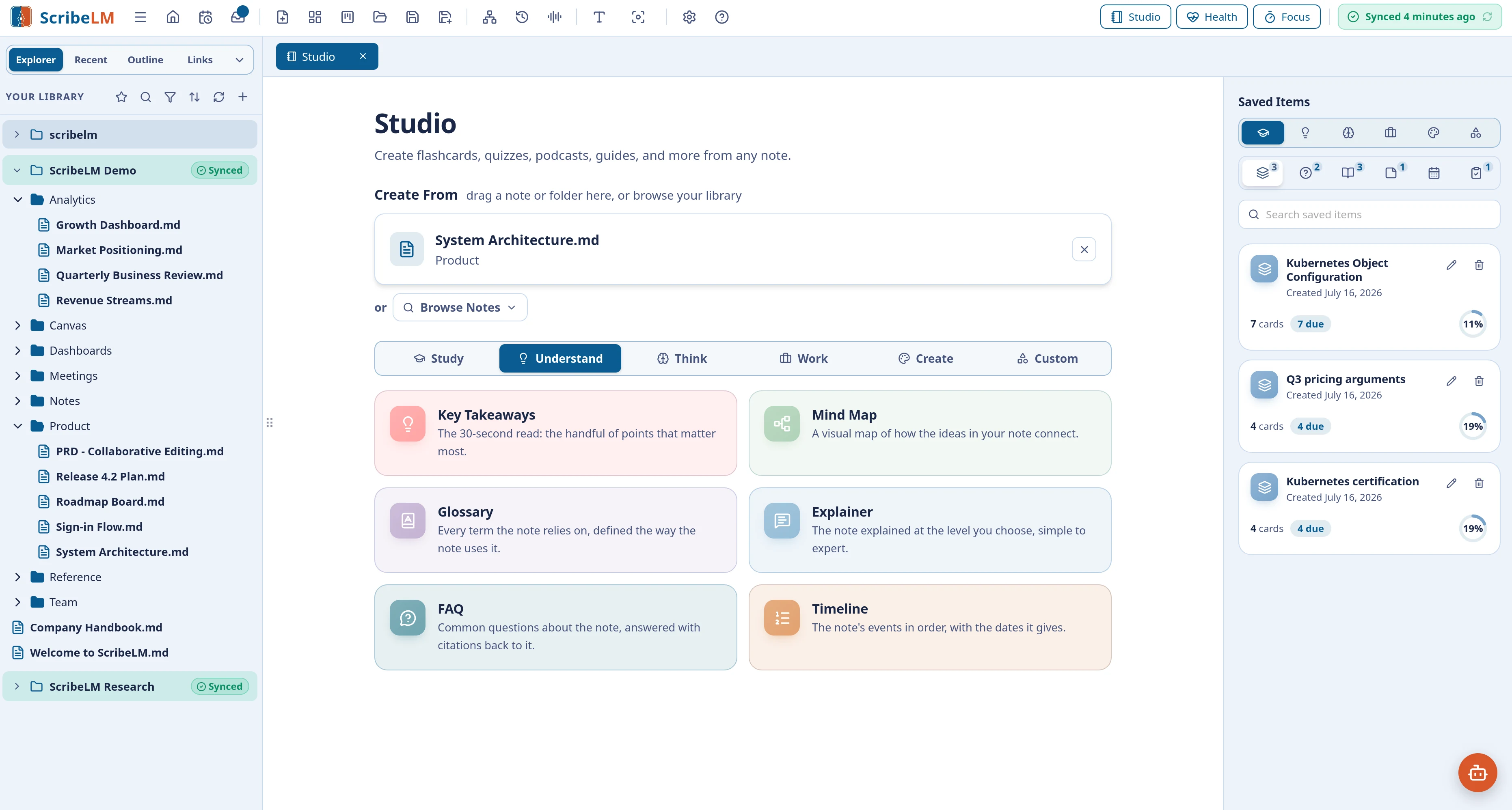
Point Studio at a note or a whole folder and choose what it becomes: flashcards, quizzes, and practice exams to study; mind maps, explainers, and timelines to understand; briefing docs, meeting summaries, and lesson plans for work; podcast scripts and audio overviews to listen to. Around thirty generators across six modes, and if the one you want is missing, describe it and Studio builds it as a tile of your own.
All of it on your computer. None of it on ours.
The AI, the search, the voices: everything in this tour runs on your machine, free, without an account.
04 · Plan
Notes that run your day.
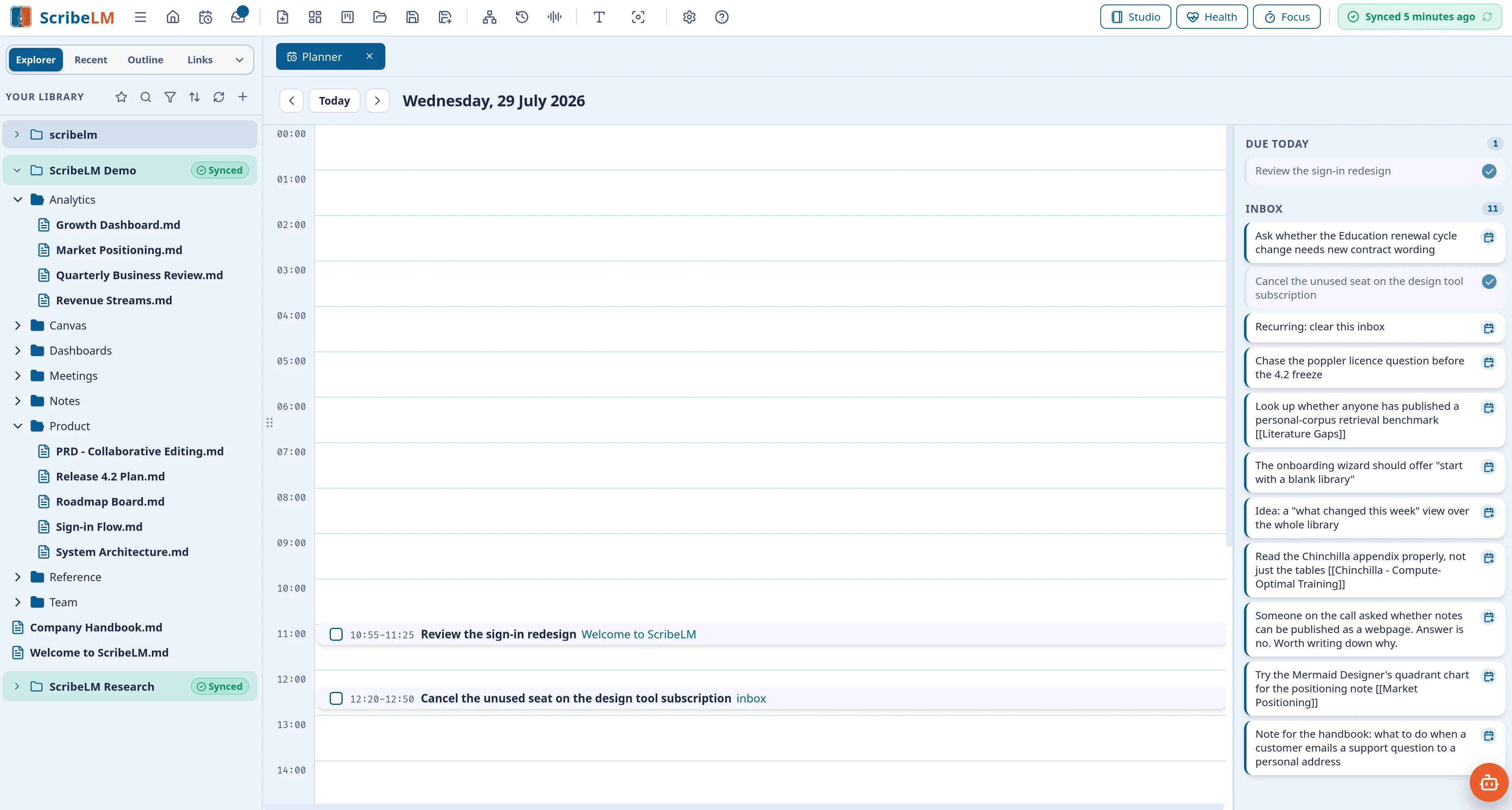
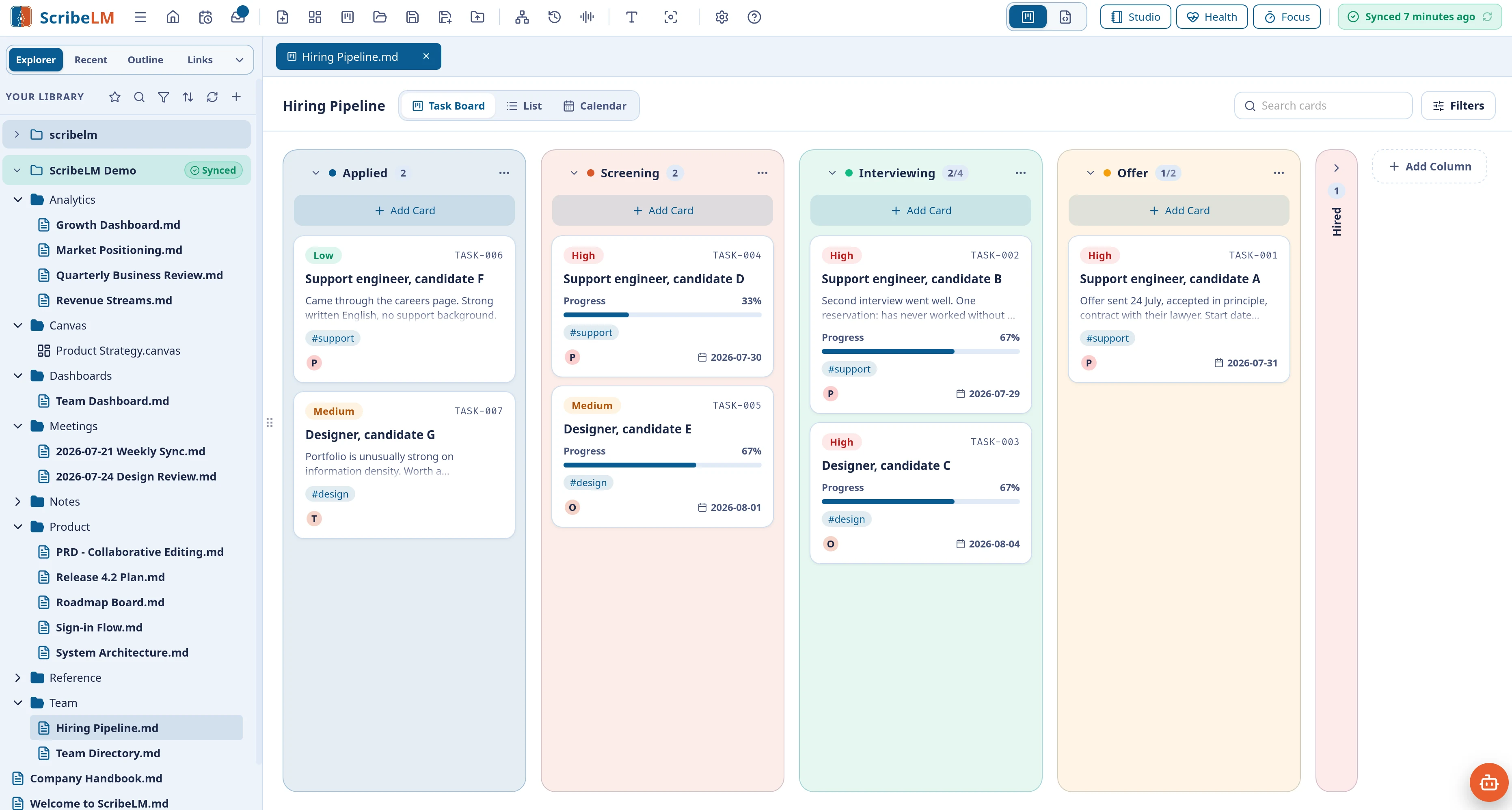
Any note can become a task board, and the Day Planner turns a daily note into a drag-to-plan timeline. Underneath, everything stays an ordinary checklist you could edit by hand.
05 · Trust
A library that stays trustworthy.
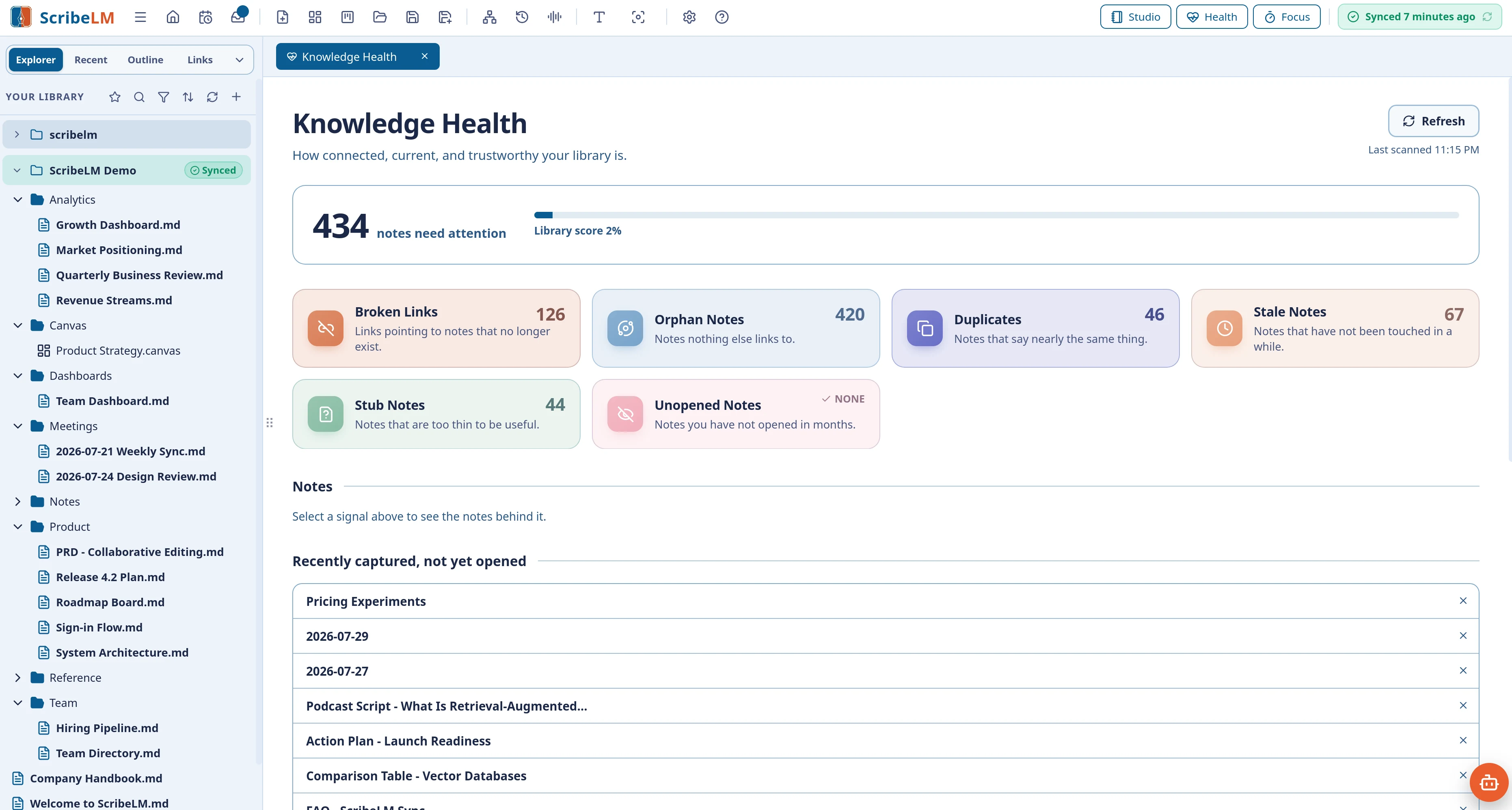
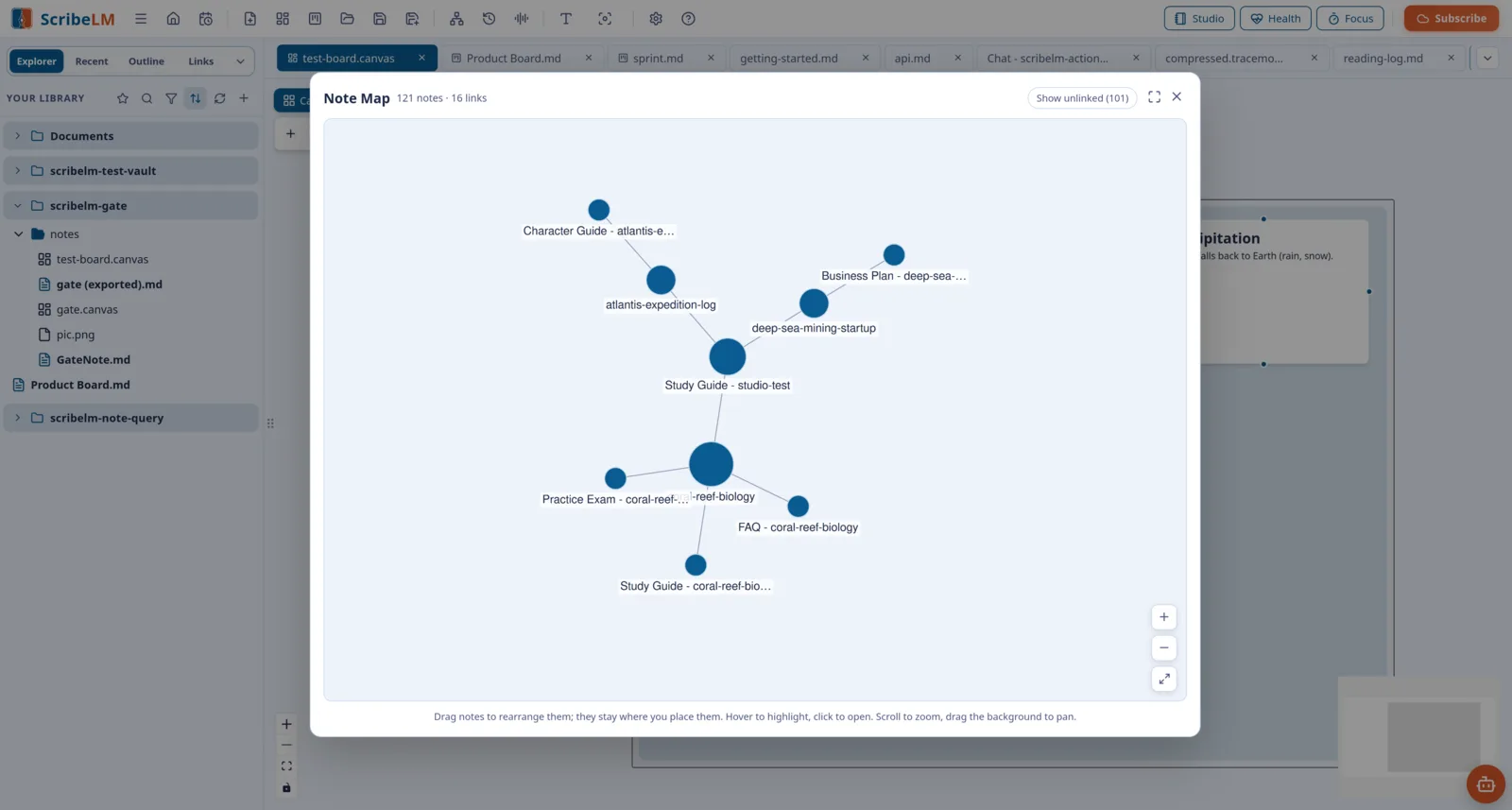
ScribeLM finds broken links, duplicates, and notes going stale, and draws your library as a living map, so what you know stays connected and current.
06 · Canvas
Room to think.
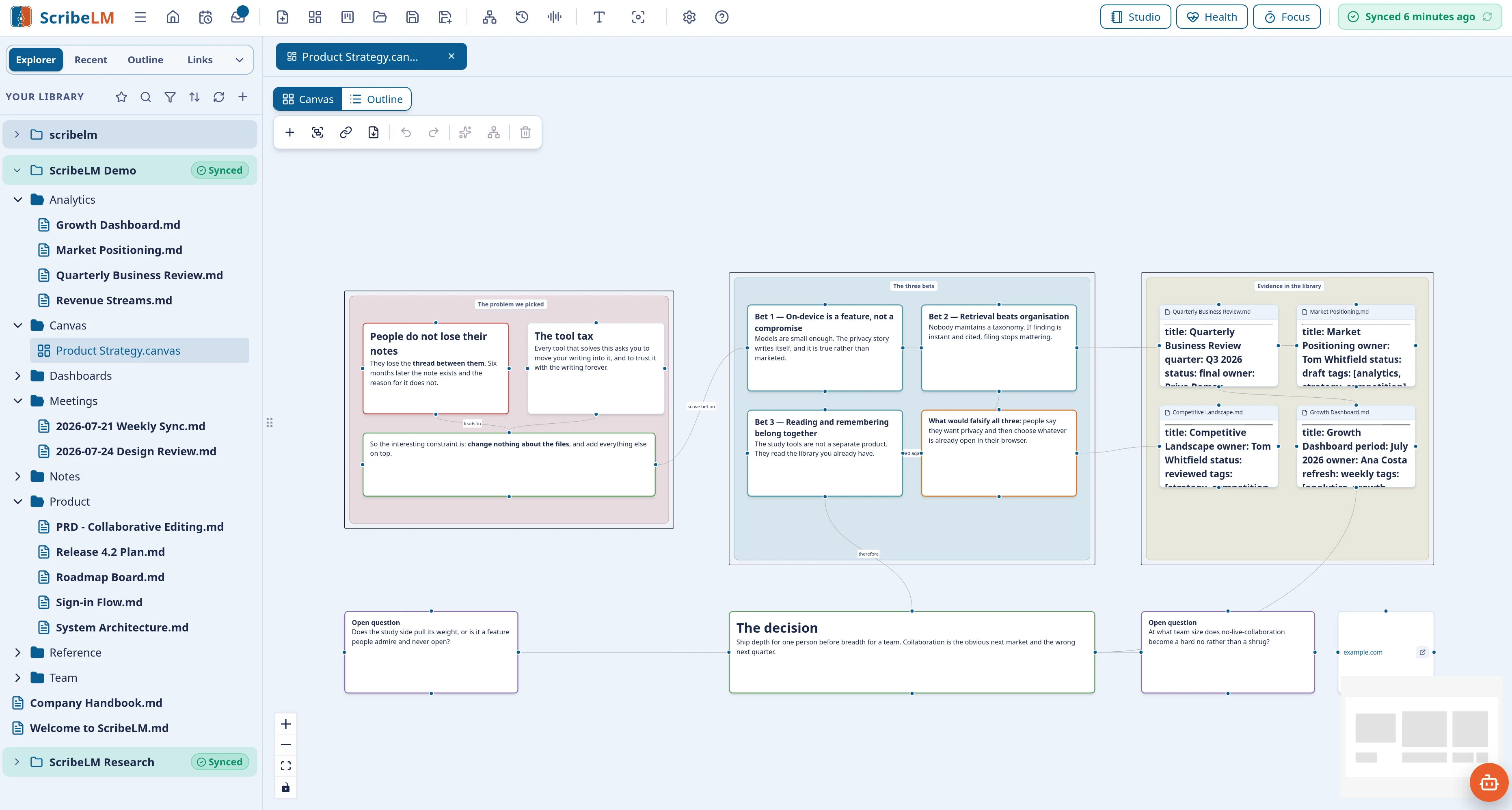
Lay ideas out on an infinite canvas, connect and group them, then turn the canvas back into a structured note. Fully usable by keyboard and screen reader.
And the rest
Also in the box.
Your documents
Open and annotate PDFs, Word, and Excel without changing the originals. Highlights and comments live in a companion note, searchable like everything else.
Voices
Notes read aloud in British and American voices, narrated audio overviews of whole folders, and dictation in 25 languages.
Different ways of thinking
Dyslexia-friendly fonts, zoom to 400%, high-contrast themes, careful keyboard and screen-reader support, motion preferences respected.
Safe plugins
Extend ScribeLM with plugins that run in isolation, touch only folders you approve, and never reach the internet. Verified gallery built in.
Peace of mind
Version history, protected saves, daily notes, reusable templates, and a warning before anything is silently overwritten.
Make it yours
24 themes, Zen Mode, Typewriter Mode, daily-note templates you shape, and a command palette that puts everything a few keystrokes away.
Import anything
Turn Word, PDF, PowerPoint, Excel, EPUB, and HTML into editable Markdown, entirely offline. Export your notes as standalone HTML or PDF when it is time to share.
Find it again
Search that forgives typos and understands meaning, favourites, file-type filters, and notes brought back before you forget you wrote them.
Sync, if you choose it
Your notes on every device, sealed with a passphrase only you hold. Two-factor sign-in with recovery codes. Optional, never required.
Your notes as a database
Give notes properties like status, date, or rating, then let Saved Views turn them into filtered tables, cards, and boards. Formula columns and embedded views included.
Local AI, cloud AI, or both
The built-in AI runs on your device, sized to your hardware. Bring your own OpenAI, Anthropic, Gemini, or OpenRouter key if you want more, and Brave web search for cited, current answers.
In your pocket
ScribeLM for iPhone and Android: capture with widgets and the share sheet, edit task boards on the go, study due cards, and keep listening from the lock screen.